AnyPicGet the app
Menu

Big DaysHot

Bridal Portrait

Try the dress before the fitting

Bridal Portrait needs your photo. You choose dress (A-line, Mermaid, Ball gown, Silk slip, Lace sleeves and Modest) and setting (Garden, Chapel, Studio, Beach and Ballroom).

Model
Nano Banana 2 Edit
Output
4:5 · 1K
Steps
3
Download on the App Store
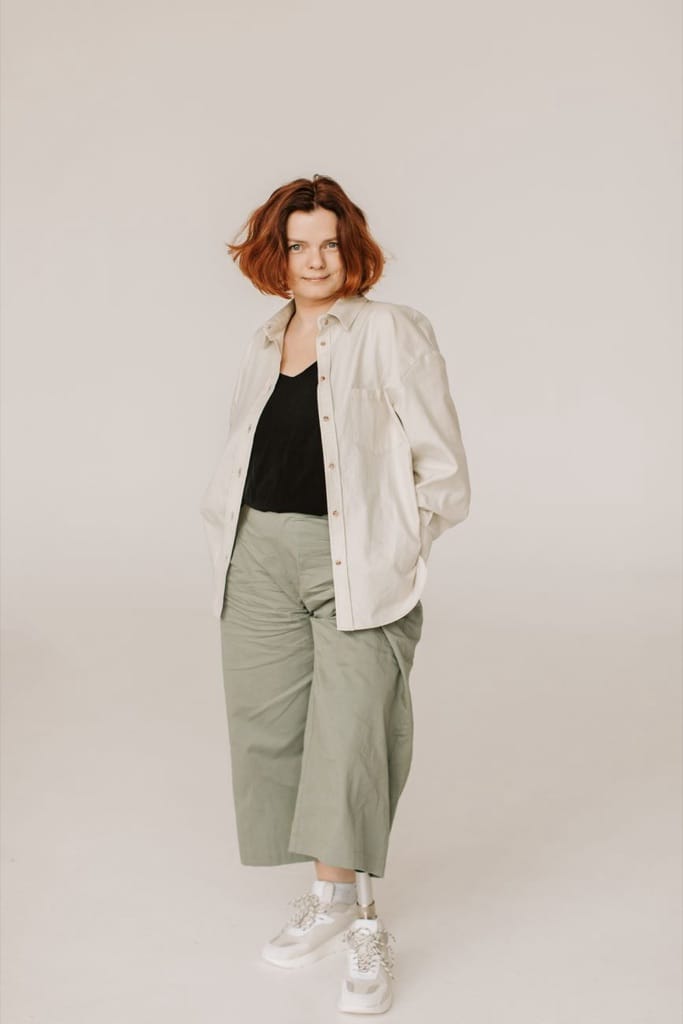
Example photo: Woman in a white shirt and wide trousers standing against a plain background
Bridal Portrait result made with AnyPic

The example, side by side

Example photo: Woman in a white shirt and wide trousers standing against a plain background
Example photo · Photo: Vlada Karpovich / Pexels
Bridal Portrait result made with AnyPic
Result · Nano Banana 2 Edit

What Bridal Portrait needs

  1. Your photo

    Required
    Example photo: Woman in a white shirt and wide trousers standing against a plain background
    Example
    • Standing, head to knee if you can
    • Hair as you'd wear it
    • Even daylight
    • Sunglasses or hats over the face
    • Group photos
    • Heavy filters
  2. Dress

    Choose one
    • A-line (default)
    • Mermaid
    • Ball gown
    • Silk slip
    • Lace sleeves
    • Modest
  3. Setting

    Choose one
    • Garden (default)
    • Chapel
    • Studio
    • Beach
    • Ballroom

The exact cost is shown before you tap Create, and if the generation fails, the credits are refunded automatically.

All trends · How trends work

Make your own Bridal Portrait.

Get AnyPic for iPhone from the App Store. New users start with 32 welcome credits, every AI action shows its cost before it runs, and failed generations are refunded automatically. Questions first? Read the answers.

Download on the App Store