AnyPicGet the app
Menu

Restore & Enhance

Restore Photo

Fix scratches, fading and blur in old prints

Restore Photo needs an old photo. You choose colors (Fix colors and Keep tones).

Cost
From 8 credits
Model
Photo Restoration
Output
Your photo’s shape · 1K
Steps
2
Download on the App Store
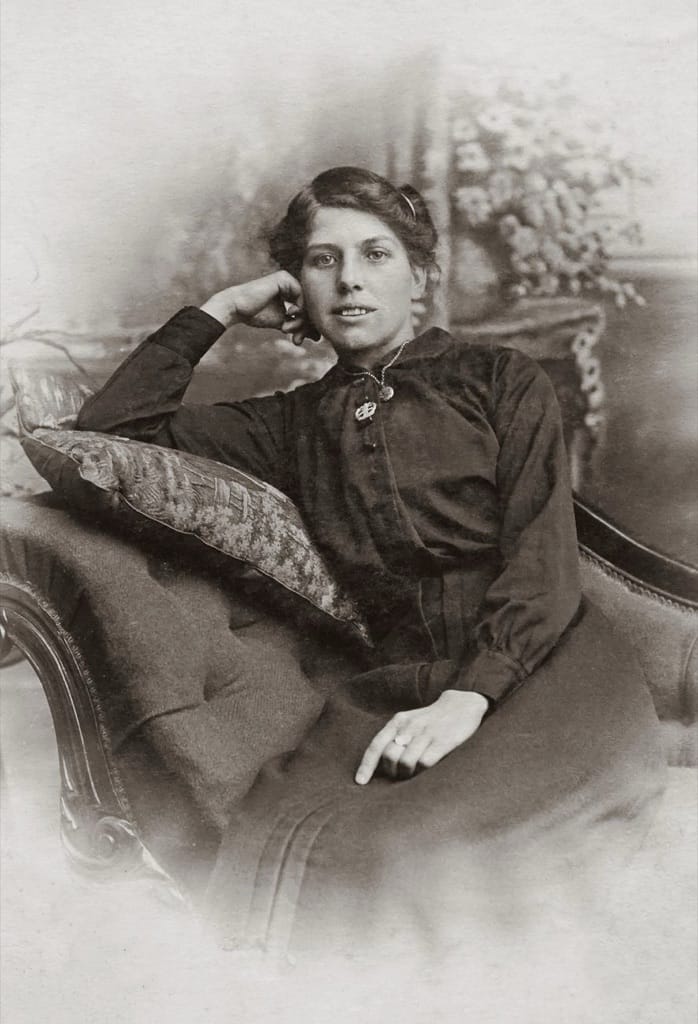
Example photo: Faded sepia portrait of a woman seated on a sofa, early 1900s
Restore Photo result made with AnyPic

The example, side by side

Example photo: Faded sepia portrait of a woman seated on a sofa, early 1900s
Example photo · Photo: Suzy Hazelwood / Pexels
Restore Photo result made with AnyPic
Result · Photo Restoration

What Restore Photo needs

  1. Old photo

    Required
    Example photo: Faded sepia portrait of a woman seated on a sofa, early 1900s
    Example
    • Take the print out of its frame
    • Shoot flat from directly above
    • Shade or indirect daylight, no flash
    • Glare or reflections
    • Angled shots
    • Plastic album sleeves
  2. Colors

    Choose one
    • Fix colors (default)
    • Keep tones

Starts at 8 credits for one image on the free plan. The exact cost is shown before you tap Create, and if the generation fails, the credits are refunded automatically.

All trends · How trends work

Make your own Restore Photo.

Get AnyPic for iPhone from the App Store. New users start with 50 welcome credits, every AI action shows its cost before it runs, and failed generations are refunded automatically. Questions first? Read the answers.

Download on the App Store