
Garden Design
Landscape your yard in any style
Garden Design needs a yard photo. You choose style (Modern, Cottage, Mediterranean, Zen, Tropical and Dry garden) and centerpiece (Fire pit, Outdoor dining, Veggie beds and Water feature).
- Cost
- From 14 credits
- Model
- Seedream 5 Pro Edit
- Output
- 3:2 · 1K
- Steps
- 3



The example, side by side
What Garden Design needs
Yard photo
Required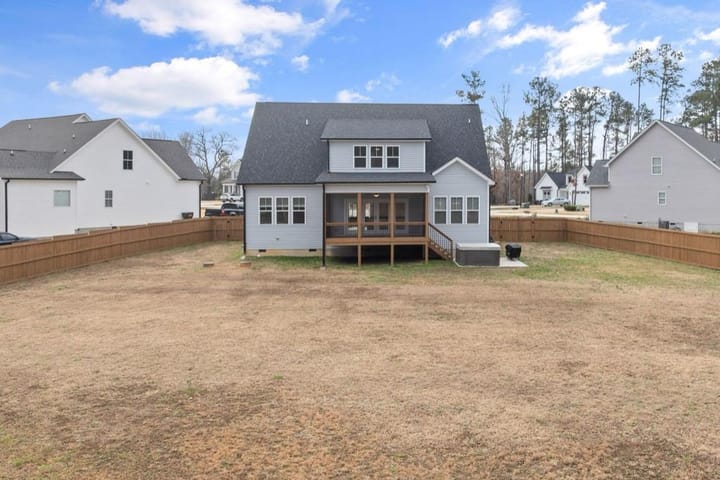
Example - Stand at the back door or a corner
- Whole yard in frame, landscape
- Daylight, no harsh noon shadows
- Close-ups of plants
- People or pets in frame
Style
Choose one- Modern (default)
- Cottage
- Mediterranean
- Zen
- Tropical
- Dry garden
Centerpiece
Choose one- Fire pit (default)
- Outdoor dining
- Veggie beds
- Water feature
Starts at 14 credits for one image on the free plan. The exact cost is shown before you tap Create, and if the generation fails, the credits are refunded automatically.


