
Interior Design
Restyle any room like a pro designer
Interior Design needs a room photo. You choose style (Modern, Japandi, Quiet luxury, Mid-century, Coastal and Art deco) and palette (Warm neutrals, Light & airy, Dark & moody and Earthy greens). You can also add wishes (optional).
- Cost
- From 16 credits
- Model
- Nano Banana 2 Edit
- Output
- Your photo’s shape · 1K
- Steps
- 4



The example, side by side
What Interior Design needs
Room photo
Required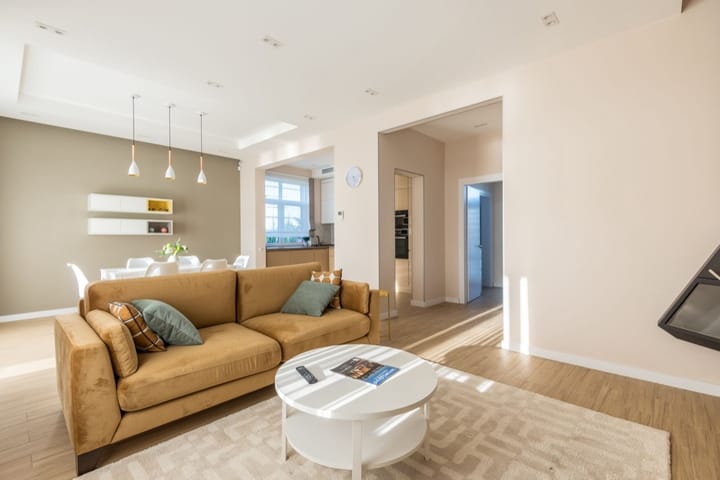
Example - Stand in a corner at chest height
- Landscape shot with two walls and the floor
- Lights on plus daylight
- Close-ups of one object
- People or pets in the room
Wishes
OptionalText field, up to 60 characters — e.g. keep the sofa, add plants
Style
Choose one- Modern (default)
- Japandi
- Quiet luxury
- Mid-century
- Coastal
- Art deco
Palette
Choose one- Warm neutrals (default)
- Light & airy
- Dark & moody
- Earthy greens
Starts at 16 credits for one image on the free plan. The exact cost is shown before you tap Create, and if the generation fails, the credits are refunded automatically.


