
Sketch to Render
Architectural sketch to photoreal render
Sketch to Render needs your sketch. You choose materials (Concrete & glass, Timber & glass, White stucco and Brick) and light (Daylight, Golden hour, Blue hour and Overcast).
- Cost
- From 16 credits
- Model
- Nano Banana 2 Edit
- Output
- Your photo’s shape · 1K
- Steps
- 3



The example, side by side
What Sketch to Render needs
Your sketch
Required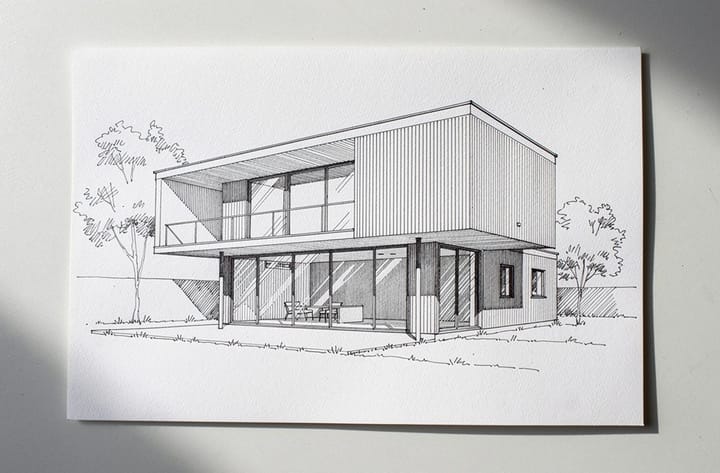
Example - Perspective sketches work best
- Shoot flat from directly above
- Dark lines on white paper
- Angled or blurry shots
- Shadows across the page
Materials
Choose one- Concrete & glass (default)
- Timber & glass
- White stucco
- Brick
Light
Choose one- Daylight (default)
- Golden hour
- Blue hour
- Overcast
Starts at 16 credits for one image on the free plan. The exact cost is shown before you tap Create, and if the generation fails, the credits are refunded automatically.


